
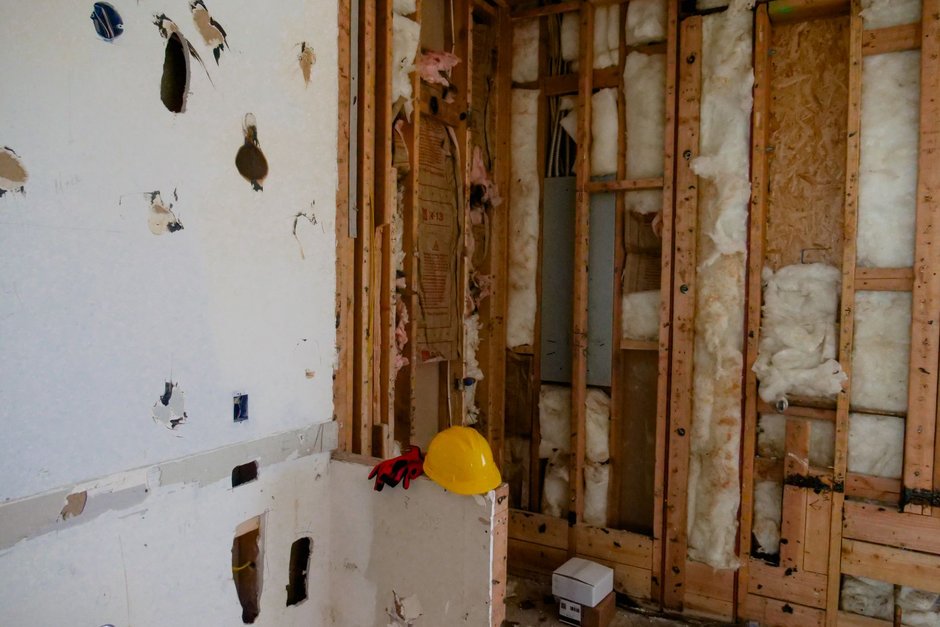
Most water damage restoration Google Ads accounts waste money the same way. The budget meant for a flooded basement at midnight gets spent on homeowners asking whether their insurance will pay. Both searches contain “water damage,” so both trigger your ads. Only one of them is a truck rolling out tonight.
The fix is structural, not a better headline. Run your emergency calls in one campaign and keep insurance and claim research in another, or out of the account entirely. Then bid harder for after-hours and weekend demand, and judge every call by whether it became a dispatched job.
This post compares three ways to set that up and says which one fits which kind of restoration company.
Two buyers, one search box: mitigation calls vs claim research
The emergency caller is standing in water. They search “water removal near me,” “burst pipe cleanup,” or “emergency water extraction,” and they call the first company that looks local and answers. They are not comparing. They want someone there now, before the drywall wicks and mold starts.
The researcher has a stain on the ceiling, an old leak, or a claim already open. They search “does homeowners insurance cover water damage,” “water damage claim process,” “how long does a water damage claim take,” or “is mold covered by insurance.” They click and read. Some of them will call later. Most of them are gathering information, and a few are adjusters, competitors, or students.
Google treats both as relevant to “water damage.” With broad match and a loose keyword list, the research crowd often wins the budget. There is more of it, it runs all day, and it clicks readily. By the time the real emergency searches pick up in the evening, your daily budget is gone.
Three ways to structure water damage restoration Google Ads
Here are the three setups we see most, side by side.
| Setup | How it works | Best fit | Main risk |
|---|---|---|---|
| One blended campaign | Emergency and claim terms share one campaign and one budget | Almost nobody. It’s the default, not a choice | Research clicks drain the budget before emergency demand arrives |
| Emergency only, research blocked | Only urgent mitigation terms. Insurance and claim terms added as negatives | Owner-operators and small crews who live on direct emergency jobs | You miss homeowners who research first and call a day later |
| Split campaigns, separate budgets | An emergency call campaign with most of the budget, plus a small, capped claim-research campaign sending people to a helpful page | Established companies with an office that handles insurance billing and can work slower leads | The research campaign creeps up in budget if nobody watches it |
Here’s the plain advice. If you run one or two trucks and the phone is your sales team, go emergency only. Block the research terms and put every dollar where the water is.
If you have a staff person who walks homeowners through claims, works with adjusters, and follows up on leads that aren’t ready yet, split the campaigns. The research campaign can earn its keep, but only when it has its own budget ceiling and its own landing page.
Nobody should stay on the blended setup. If you have it now, that is the first thing to change. If you want us to rebuild it around dispatched jobs, see how we run Google Ads for water damage restoration companies.
Building the emergency call campaign
The emergency campaign is your water mitigation PPC engine. Every choice in it should make a phone ring from someone who needs a crew today. Here is the setup we use. You or your web person can work through it in an afternoon.
- Create a dedicated campaign for emergency terms only. Name it plainly so nobody mixes it up later, something like “Emergency mitigation - calls.”
- Use phrase and exact match keywords built on urgency: water removal, water extraction, emergency water damage, burst pipe cleanup, flooded basement cleanup, sewage backup cleanup, each paired with “near me,” “emergency,” or your city names.
- Add a shared negative keyword list for research language: insurance, claim, cover, covered, adjuster, lawsuit, lawyer, attorney, DIY, how to, cost to, jobs, salary, training, certification, course. Apply it to the emergency campaign.
- Turn on call assets with your tracked number, scheduled for the hours your phone is answered.
- Set location targeting to people in or regularly in your service area, not people “interested in” it. That keeps out someone three states away researching a relative’s claim.
- Point any landing page clicks to a page built for emergencies: a click-to-call button above the fold, your service area, your response promise in plain words, and nothing about insurance paperwork until lower on the page.
- Review the search terms report every week and add new research phrases to the negative list. Homeowners find endless ways to ask about coverage.
That last step is what keeps emergency water removal ads clean over time. The negative list is never finished.
Where the claim-research campaign fits
If you run the split setup, give the research campaign its own small daily budget and its own keywords, such as “water damage insurance claim help” or “restoration company that works with insurance.” Send those clicks to a guide page that explains how mitigation and claims work and offers a free inspection. Treat form fills and follow-up calls from that page as a slower lead type, not as emergencies. If you want a sanity check on how much to give each campaign, our Google Ads budget calculator helps you rough out the split before you commit.
Bidding for after-hours and weekend demand
Pipes burst at night. Water heaters fail on weekends. Storms hit whenever they hit. Your emergency campaign needs to be strongest exactly when office-hours businesses have gone quiet, and that is also when your competitors’ budgets may already be spent.
How you do this depends on your bid strategy.
If you use manual bidding
Set an ad schedule on the emergency campaign that splits the day into blocks: business hours, evenings, overnight, and weekends. Then raise bids for the blocks where your dispatched jobs actually come from. Lower them, or pause the campaign, for any hours when nobody answers the phone. Paying for a call that goes to voicemail is the most expensive click you can buy.
If you use Smart Bidding
Automated strategies like Maximize Conversions or Target CPA already weigh time of day, so manual schedule bid adjustments mostly don’t apply. Your lever here is the conversion data. If the system learns that a booked job counts and a three-second hang-up doesn’t, it will lean into the hours that produce jobs on its own. That’s why the next section matters more than any bid setting.
Protect the overnight budget
Whichever strategy you use, keep the daytime research traffic from eating the night budget. Splitting the campaigns does most of that work. Shared budgets across campaigns quietly undo it, so give the emergency campaign its own budget. Then check the account mid-afternoon now and then to see whether it is already “limited by budget.”
Restoration call tracking that counts dispatched jobs, not rings
A call is not a job. Out of a day’s calls, some are emergencies you dispatched, some are inspections, some are claim questions, and some are vendors, wrong numbers, and robocalls. If Google counts all of them as conversions, it will happily find you more of the cheap ones.
Good restoration call tracking runs on three layers.
First, use tracked numbers. Calls from ads and calls from your website should each use a Google forwarding number or a call tracking tool. That way you know which campaign, and ideally which keyword, produced the call. Set a minimum call length for the “calls from ads” conversion so hang-ups don’t count.
Second, tag every call with an outcome. Your dispatcher or office manager marks each call in your CRM or job software: dispatched mitigation job, inspection booked, claim question, not a lead. That takes seconds per call if the field is right there in the screen they already use. If your team won’t do it, nothing else in this section works.
Third, send the good outcomes back to Google Ads. With offline conversion import, the click ID or call details tie back to the ad, and a “dispatched job” becomes your primary conversion. “Inspection booked” can be a secondary one. Claim questions and junk calls count for nothing. We set this up through offline conversion tracking, and it’s the single change that most improves how Smart Bidding treats a restoration account.
Once dispatched jobs are the scoreboard, the comparison between your campaigns becomes honest. You can see that the emergency campaign produces jobs at night. You can see whether the research campaign produces anything beyond reading. Then you move money accordingly.
Frequently asked questions
Should I bid on “does insurance cover water damage” at all?
Only if you have someone who can nurture a slow lead through inspection and claim paperwork. If you don’t, add it as a negative and let it go. If you do, run it in its own capped campaign with a guide page. Never let it share a budget with emergency terms.
My ads show for “water damage” broadly. Is broad match always bad for mitigation?
Not always. But broad match in a restoration account without a strong negative list and job-level conversion data will drift toward research and DIY searches. Start with phrase and exact match on urgent terms. Consider broad only after Google is learning from dispatched jobs, not from every ring.
Should my emergency ads run around the clock even if we don’t answer overnight?
No. If calls go to voicemail or a slow answering service at night, pause or reduce the emergency campaign for those hours. A homeowner with water on the floor hangs up and calls the next ad. You paid for that click and got nothing.
How do I stop insurance adjusters and other contractors from calling my ad number?
You can’t stop every one, but you can stop counting them. Tag those calls as “not a lead” in your CRM so they never feed Google as conversions. Words like “adjuster,” “subcontractor,” and “jobs” on your negative list also keep many of them from seeing the ad.
Is it worth separating sewage backup and flood calls from clean-water calls?
If your crews and equipment differ, yes. Put category-specific terms in their own ad groups with matching ad text. You’ll see in your call tagging which category turns into dispatched jobs, and you can shift budget toward the work you actually want.
Your next step
This week, open your Google Ads search terms report for the last month and highlight every term that mentions insurance, claims, coverage, or “how to.” Total what they cost. That number tells you how much of your emergency budget went to researchers, and whether you need the split setup or the emergency-only one. If you’d rather have us rebuild the account around dispatched jobs, Call us+1 (415) 420-4059 or start with our free marketing audit.