

Google AdsCertified
✓ Web Design for Office Cleaning
Web Design for Office Cleaning
Facilities managers and office managers read a cleaning website like a reference check. They look for insurance, a sample schedule, who supervises and how a missed shift is handled. We design a fast, professional site that shows all of it and makes requesting a walkthrough the obvious next step.
For contract cleaning companies that need a site that handles procurement questions, shows sites and schedules and turns visitors into walkthrough requests, with tracking from the first visit.
What an office cleaning website must do
Context from how your customers search, compare and book.
The first screen should tell a manager what you do and for whom. A short line naming the sites you clean, the hours you work and the city or district you cover, with a walkthrough button, beats a slogan. Visitors from bid emails and search both land on it with little patience.
Proof comes second. A manager wants to see insurance, screening, supervision and a sample schedule without opening a document. We place those in clear blocks near the top, and we offer a downloadable capability sheet for procurement staff who need to attach something to their own paperwork.
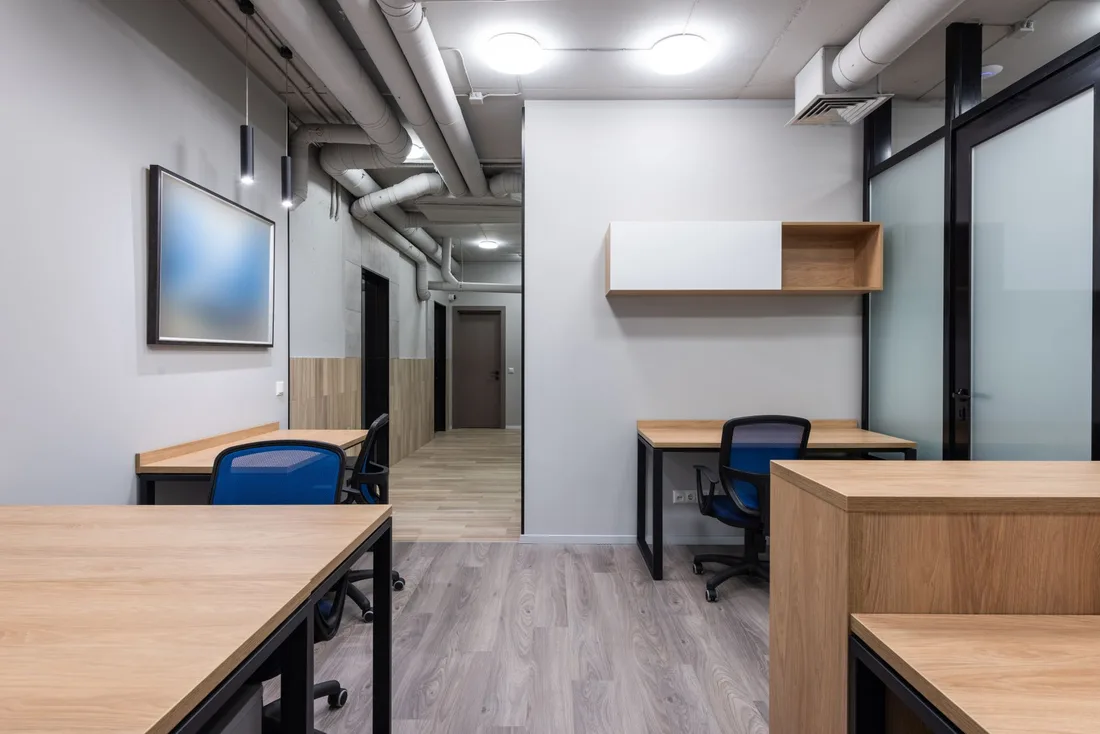
Layout should reflect how sites differ. A small office, a serviced suite, a coworking floor and a multi-tenant lobby each get a short page showing typical tasks, restroom and kitchen care, bins and recycling, and options such as carpet care. Photos of finished areas are better than staged stock images.
The request form needs to collect enough for a quote without feeling like paperwork. Floor area, how often, number of restrooms, preferred start date and how the manager wants to be contacted are enough. A phone number in plain sight serves those who would rather talk than type.
Who this website is for
groups Customer segments
- person Contractors with an old template site and no scope pages
- person Firms bidding on bids that buyers will check online
- person Companies expanding into serviced offices and coworking
- person Owners who want one place to send referrals and prospects
psychology What drives their decision
- check_circle A professional first screen with a clear walkthrough button
- check_circle Insurance, screening and supervision shown plainly
- check_circle Sample schedules and scope for each site type
- check_circle A fast site that works on a desk screen and a phone
How we deliver Web Design
A clear, repeatable process built around how office cleaning customers search and decide.

1
Page plan and buyer paths
We map the paths managers follow: home, each site type, add-ons, trust and compliance, areas served, contact and a downloadable sheet. You approve the plan and the order of the pages before any design work starts.

2
Design and first screen
The first screen names the sites you clean, your working hours and your district, with one walkthrough button and a call number. Palette, type and photos suit a professional business buyer, not a home customer.

3
Scope, schedule and proof pages
Each site type has a page with typical tasks, sample weekly schedule and add-ons. A trust page covers insurance, screening, key handling and supervision, using documents you can show. We add a capability sheet in PDF form.

4
Walkthrough form and alerts
We build a short form that records floor area, frequency, restrooms and start date, then sends an instant alert. If you use a customer record system (a tool for tracking clients), we connect it so requests land in one place.

5
Testing, launch and tuning
We test forms, downloads and speed on desktop and phone, set up redirects from old addresses and launch. Afterward we watch which pages lead to requests, refine the weaker ones and send you a short monthly note on what changed.
web
What Office Cleaning Web Design includes
Pages that make it easy to understand the offer and take the next step
- check_circle Page plan and design
- check_circle Scope and trust content
- check_circle Form, alerts and capability sheet
- check_circle Desktop and phone testing
- check_circle Launch support and reporting
What you can expect
- verified Managers see who you serve and how you work within seconds
- verified Procurement staff find insurance and screening details quickly
- verified Sample schedules reduce back-and-forth before a walkthrough
- verified More visitors request a site visit rather than leave
- verified Documents are ready to attach to bid paperwork
- verified Reports show which pages bring walkthrough requests
Deliverables you receive
inventory_2 A page plan covering each site type, add-on, trust page and areas served
inventory_2 A first screen with working hours, district and a walkthrough button
inventory_2 Sample schedules and scope pages written for facilities readers
inventory_2 A trust page with insurance, screening, key handling and supervision
inventory_2 A downloadable capability sheet that procurement staff can attach to their paperwork
inventory_2 A walkthrough form with instant alerts and source tracking
Technical approach
The mechanics behind Web Design for office cleaning, explained plainly.
Desktop-first, phone-ready
Most office buyers browse at a desk, so layouts use space well for comparison. Phone layouts still keep the walkthrough button and call number in reach for site managers checking from a car park or a lobby.
Documents and file size
Capability sheets and sample schedules open quickly and are sized for email attachment. We name files clearly, add text versions for readers who prefer not to download, and avoid anything that needs a login.
Tracking and reporting
We record calls, form sends and file downloads by source. A simple report shows which sites and pages lead to walkthrough requests, which helps you decide where to spend time and where to add content.
Marketing from $500 USD a month
Month to month, no commitment. One fee covers the pages, the search and ad work and the tracking. Ad spend is separate and stays in your own accounts.
Starting at
$500 USD per month
Free to cancel with 1 month's notice. Tell us what you sell and where. We come back with what the first month would fix.
Get a Free AuditWhat $500 a month covers
Conversion-led page design
IncludedSites are designed around one obvious next step, like a call or an enquiry form.
Responsive build
IncludedCode is written to load fast and display well across phones, tablets and desktops.
Campaign landing pages
IncludedAdvertising traffic arrives on purpose-built pages carrying a matching offer.
Tracking wired up
IncludedAnalytics, form events and call tracking are configured and checked before each site publishes.
What to expect from the new website
The build is staged so you approve the plan, the design and the content before launch.
Days 1 to 14
We confirm the page plan, collect insurance documents, schedules and photos, and start the designs. You review the first screen, the trust page layout and the form fields.
Weeks 3 to 8
We build pages, the capability sheet and the walkthrough form, connect alerts and tracking, then test on desktop and phones. We prepare redirects so old links keep working on launch day.
Months 3 to 6 and beyond
After launch we watch form completions, calls and downloads. We refine pages for site types that attract the best leads and add content as you win new kinds of sites. Traffic itself comes from search and ads.
Other Office Cleaning marketing services
search SEO for Office Cleaning arrow_forward query_stats SEM for Office Cleaning arrow_forward ads_click Meta Ads for Office Cleaning arrow_forward monitoring Analytics for Office Cleaning arrow_forward handshake CRM Integration for Office Cleaning arrow_forward psychology AI Optimization for Office Cleaning arrow_forward
Our team
The same people on the audit and on the work
Dino designs conversion-led pages and campaign landing pages that work on every screen, while Elmer makes sure tracking is wired up from launch.
-

Martin
Founder, strategy and audits
Writes every audit and takes every first call. On your account from day one, running growth for SMEs since 2010.
-

Yoana
Social and app development
Shapes social strategy and builds practical app experiences that turn attention into action.
-
 Leads this work
Dino
Design
Creates clear brand and conversion-focused design across landing pages, campaigns and product experiences.
-
 Leads this work
Elmer
Analytics
Connects tracking, attribution and reporting so decisions are based on revenue-quality data.
-

Mike
SEO
Owns technical, local and content SEO so the right buyers find you when demand is highest.
-

Robert
Paid media
Plans and manages paid search and social campaigns around qualified leads.
Certified and experienced
Certified where it matters. Accountable for the outcome.
Verified platform knowledge, 25+ years of hands-on experience, and an operating track record since 2010.
Google AnalyticsCertified
✓Google Tag ManagerCertified
✓Operating since 2010Proven experience
✓Frequently Asked Questions
How long does an office cleaning website take? expand_more
Several weeks is typical, depending on how quickly we receive documents and photos. We work in stages, and you approve each one before it goes live.
Can an office cleaning site support bids? expand_more
Yes. A clear capability page, insurance details and a downloadable sheet help buyers who check your company online before replying. We cannot write the bid itself, but we make sure the site supports it.
Should an office cleaning site show client logos? expand_more
Only with written permission. Many clients prefer not to be named, so we can describe site types instead, such as a serviced suite or an accountancy office, without naming anyone.
Can the website connect to our customer system? expand_more
In most cases yes. Forms can feed a customer record system, a shared inbox or a spreadsheet, whichever your team already uses. We choose the simplest route that works.
Will the new office cleaning site keep our existing search position? expand_more
We keep a list of current pages and set redirects where addresses change. Visibility can dip briefly after any relaunch, and careful testing reduces that risk.
Can we update the office cleaning pages ourselves? expand_more
Yes. We build the site so you can edit text, schedules and photos without code, and we offer a short walkthrough. We can also handle changes if you prefer.
What pages does an office cleaning company need? expand_more
At minimum: home, each site type you serve, add-ons, trust and compliance, areas served and a walkthrough request page. We add more only when there is demand, such as pages for coworking or serviced offices.
Ready to get more from Office Cleaning Web Design?
Get a free audit and we will show you where you are losing inquiries today.
Get a Free Audit arrow_forward
Reviewed by
Martin Marinov
Founder, HeyLead
Martin founded HeyLead and has worked in SEO and paid search for more than 20 years, across Google Ads, Microsoft Ads and organic search.
Related case studies for Office Cleaning Web Design
-
1800 CLEANER
Delivered sustainable organic growth through consistent content, technical SEO, and seasonal search dominance in Sydney's competitive cleaning market.
-
Clean Australia Service
Rebuilt Google Ads from scratch, resolved tracking gaps, and scaled paid search to support multi-location franchise growth across Australia.
-
MCAAS Solutions
Grew organic search 3-4x, then moved mcaassolutions.com off paid cPanel WordPress onto GitHub and Cloudflare Pages. Desktop PageSpeed 100, mobile 98, live-site origin hosting $0.