Google AdsCertified
✓ Web Design for Landscaping and Gardening
Web Design for Landscaping and Gardening
A garden website has two jobs. It must make an owner think this is the team that could build my terrace, and it must make a busy household think this is the person who will keep my lawn tidy. Gallery first, process second, a simple way to ask third. We design, build and test it. Lead numbers are not promised.
For landscaping and gardening owners who need a site that shows finished gardens first, explains routes and projects clearly and takes consultation requests easily from a phone.
What a landscaping and gardening website has to do
Context from how your customers search, compare and book.
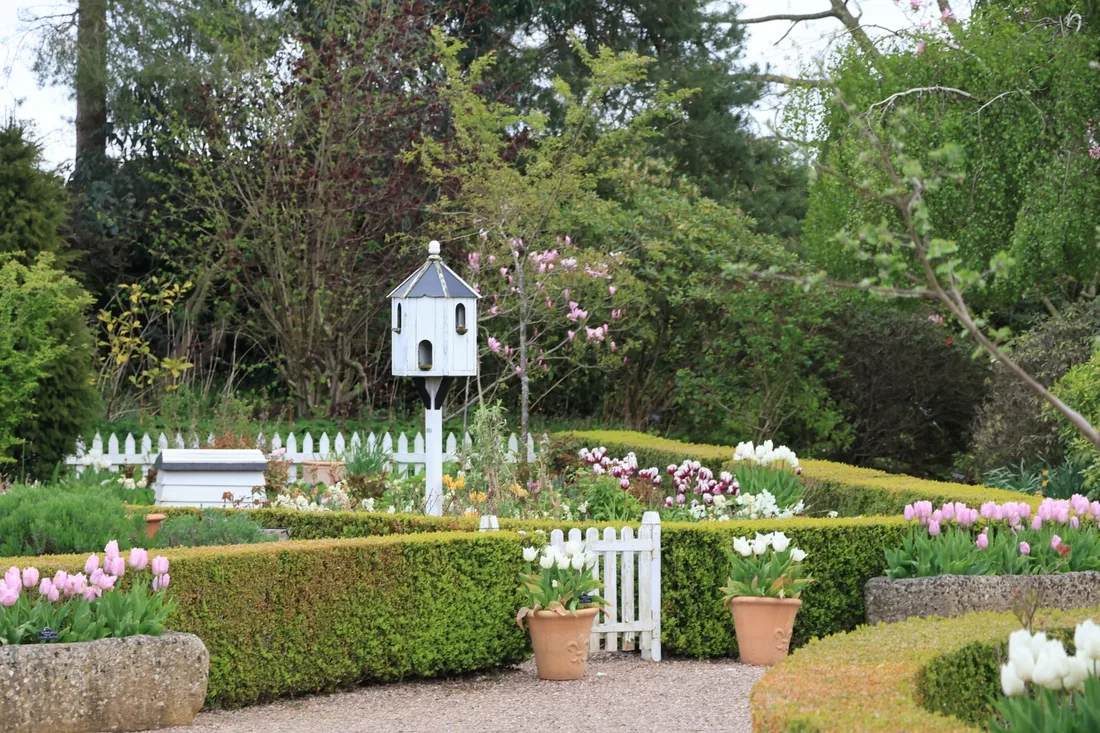
Gallery quality sets the tone. Visitors judge a garden business by its photos, in seconds, before they read a word. Large, bright images of finished work, grouped by terraces, planting, turf, walls and lawns, tell them whether your standard matches their taste. Small, dark or cluttered photos undersell good work.
Two types of buyer need two paths. Someone who wants weekly lawn care needs a simple page: what is included, which suburbs, how to join a route. Someone planning a full garden build needs inspiration, a clear process, an idea of timelines and an easy way to book a consultation.
Process reduces fear. Owners worry about mess, delays, cost creep and how a design will actually look. A page walking through the site visit, concept plan, quote, staged payments, build days and aftercare shows you have done this many times, and it helps your own team set expectations.
Local detail helps. Mentioning slopes, clay or sandy soil, shade, water rules and the plants that suit the area proves you know the district. Short project notes from each suburb tie the portfolio to places visitors know, which is more persuasive than a general promise.
Who a landscaping and gardening website helps
groups Customer segments
- person Maintenance operators with no clear route or visit information online
- person Design and build firms whose best work is not shown well
- person Teams adding irrigation, lighting or paving that need new pages
- person Grounds contractors who must look dependable to property managers
psychology What drives their decision
- check_circle A bright, quick gallery sorted by type of project
- check_circle Clear maintenance pages with visit pattern and area
- check_circle A process page for design and build work
- check_circle A consultation form that takes a photo of the space
How we deliver Web Design
A clear, repeatable process built around how landscaping and gardening customers search and decide.

1
Work and content audit
We gather your best project photos, the services you offer, your service area, insurance details and customer comments. We review the current site for speed and gaps, and note the questions callers ask most so the new pages answer them.

2
Structure and layout
We plan a home page, maintenance pages, design and build pages, an irrigation page if you offer it, a process page, a gallery and area pages. The home page offers two clear paths: join a route or plan a garden.

3
Writing and gallery build
We write plain copy with your lead gardener, covering visits, inclusions, weather policy, design steps and staged payments. Galleries group projects by type, with suburb, scope and materials noted in captions. Stock photos give way to your own work.

4
Forms and call routes
Maintenance forms ask lawn size, garden type and preferred day. Design forms ask project idea, suburb and an optional photo of the space. Click-to-call sits on every screen. Each route alerts your team and is tagged for reporting.

5
Testing and launch
We test on phones, tablets and slow connections, send test forms to confirm delivery and check that old links redirect. You approve the final site, then we launch and keep a close eye on the first weeks, checking for broken links, slow pages and forms that fail.
web
What Landscaping and Gardening Web Design includes
Pages that make it easy to understand the offer and take the next step
- check_circle Page plan and layout
- check_circle Gallery and service pages
- check_circle Consultation form with photo
- check_circle Mobile speed work
- check_circle Tracking and launch testing
What you can expect
- verified Visitors see bright finished gardens before they scroll
- verified Maintenance buyers can see areas, visit pattern and how to join
- verified Design buyers see a clear process and an easy consultation form
- verified Local detail on soil, shade and slope shows you know the district
- verified The site loads quickly on a phone in the garden
- verified Tracking shows which pages bring routes and projects
Deliverables you receive
inventory_2 Home page with two clear paths for routes and projects, gallery preview, phone link and service area
inventory_2 Maintenance pages covering lawns, hedges, beds and clean-ups with visit pattern and suburbs served
inventory_2 Design and build pages for patios, walls, planting, turf and irrigation, each with its own gallery
inventory_2 Process page explaining site visit, concept plan, quote, staged payments, build and aftercare
inventory_2 Consultation and route forms with photo upload, delivering to your phone and email
inventory_2 Call, form and gallery-click tracking, tested before launch
Technical approach
The mechanics behind Web Design for landscaping and gardening, explained plainly.
Image handling at scale
Garden galleries can hold hundreds of photos. We resize them, serve modern formats where browsers allow, load them as people scroll and add text descriptions. The gallery stays quick on a phone and the page remains easy for search engines to read.
Seasonal flexibility
Banners and offers can change with the season without a rebuild: spring planting, summer upkeep, leaf clean-ups and winter planning. You or we can update them in minutes, and old seasonal pages stay in place so search history is not lost.
Structure and redirects
Each service and area page has a clear title, heading and markup for services and reviews. Internal links join maintenance, design and area pages. Redirects keep older links working, so listings and shared garden photos still lead to the right place.
Marketing from $500 USD a month
Month to month, no commitment. One fee covers the pages, the search and ad work and the tracking. Ad spend is separate and stays in your own accounts.
Starting at
$500 USD per month
Free to cancel with 1 month's notice. Tell us what you sell and where. We come back with what the first month would fix.
Get a Free AuditWhat $500 a month covers
Conversion-led page design
IncludedSites are designed around one obvious next step, like a call or an enquiry form.
Responsive build
IncludedCode is written to load fast and display well across phones, tablets and desktops.
Campaign landing pages
IncludedAdvertising traffic arrives on purpose-built pages carrying a matching offer.
Tracking wired up
IncludedAnalytics, form events and call tracking are configured and checked before each site publishes.
What to expect from a new website
Photos and facts from your team drive the pace. After that, pages come together quickly and improve as you add new projects.
Days 1 to 14
We gather photos, service details, insurance information and comments, agree the page plan and set up tracking. You tell us the services to push, the suburbs to cover and anything you want to stop taking.
Weeks 3 to 8
Text is drafted and pages are assembled, then previewed on a phone and a laptop. Your lead gardener checks the detail, test forms are sent and fixes follow. Launch happens once you approve.
Months 3 to 6 and beyond
We read call and form data, add new projects each season, tidy weak pages and extend into new services or suburbs. Visits from search arrive gradually, and the volume cannot be promised.
Other Landscaping and Gardening marketing services
search SEO for Landscaping and Gardening arrow_forward query_stats SEM for Landscaping and Gardening arrow_forward ads_click Meta Ads for Landscaping and Gardening arrow_forward monitoring Analytics for Landscaping and Gardening arrow_forward handshake CRM Integration for Landscaping and Gardening arrow_forward psychology AI Optimization for Landscaping and Gardening arrow_forward
Our team
The same people on the audit and on the work
Dino designs conversion-led pages and campaign landing pages that work on every screen, while Elmer makes sure tracking is wired up from launch.
-

Martin
Founder, strategy and audits
Writes every audit and takes every first call. On your account from day one, running growth for SMEs since 2010.
-

Yoana
Social and app development
Shapes social strategy and builds practical app experiences that turn attention into action.
-
 Leads this work
Dino
Design
Creates clear brand and conversion-focused design across landing pages, campaigns and product experiences.
-
 Leads this work
Elmer
Analytics
Connects tracking, attribution and reporting so decisions are based on revenue-quality data.
-

Mike
SEO
Owns technical, local and content SEO so the right buyers find you when demand is highest.
-

Robert
Paid media
Plans and manages paid search and social campaigns around qualified leads.
Certified and experienced
Certified where it matters. Accountable for the outcome.
Verified platform knowledge, 25+ years of hands-on experience, and an operating track record since 2010.
Google AnalyticsCertified
✓Google Tag ManagerCertified
✓Operating since 2010Proven experience
✓Frequently Asked Questions
What should a landscaping website show first? expand_more
Bright photos of finished gardens, a clear route to join maintenance or plan a project, and your service area. Visitors judge standard in seconds. Insurance and reviews sit just below.
Should gardening maintenance and design share a page? expand_more
No. Routes and projects are different purchases. Separate pages let each buyer see what they need, and let you track them apart.
Can customers upload photos of their garden for a landscaping quote? expand_more
Yes. A photo of the space helps your designer judge slope, access and scope before a visit. It stays optional so no one abandons the form.
Do we need a landscaping area page for each suburb? expand_more
Only for suburbs you really serve and have projects in. Each page lists real work and local planting detail. Thin repeated pages do not help gardening searches.
Could a rebuilt landscaping site lose its place in search? expand_more
Not when the move is planned. Strong page titles carry across, old links are redirected and speed improves. Quicker galleries on phones usually help rather than hurt.
Can we change seasonal banners ourselves? expand_more
Yes, if you wish. We set up simple areas for seasonal offers and show you how to edit them. Otherwise we make changes for you on request.
Who owns the website afterwards? expand_more
You do. The domain, text and photos are yours, you receive full logins and any hosting costs are explained before you agree.
Ready to get more from Landscaping and Gardening Web Design?
Get a free audit and we will show you where you are losing inquiries today.
Get a Free Audit arrow_forward
Reviewed by
Martin Marinov
Founder, HeyLead
Martin founded HeyLead and has worked in SEO and paid search for more than 20 years, across Google Ads, Microsoft Ads and organic search.