Google AdsCertified
✓ Web Design for Insulation
Web Design for Insulation Installers in Singapore
An insulation website has to make a hidden job visible. Visitors cannot see their roof space, so they rely on your photos, plain explanations and a simple way to ask for a check. We build a fast site with pages by part of the home, honest galleries and forms your estimator can use.
For insulation installers whose current site lists products but does not show the work, and who want more assessment requests from the visitors they already get.
What an insulation website must do
Context from how your customers search, compare and book.
Visitors arrive with a symptom, not a product name. A cold bedroom, a hot upstairs or an unexpectedly high bill sends them online. The first screen should speak to that experience, then point to the part of the home involved, and make clear that a check costs nothing. Product jargon can come later.
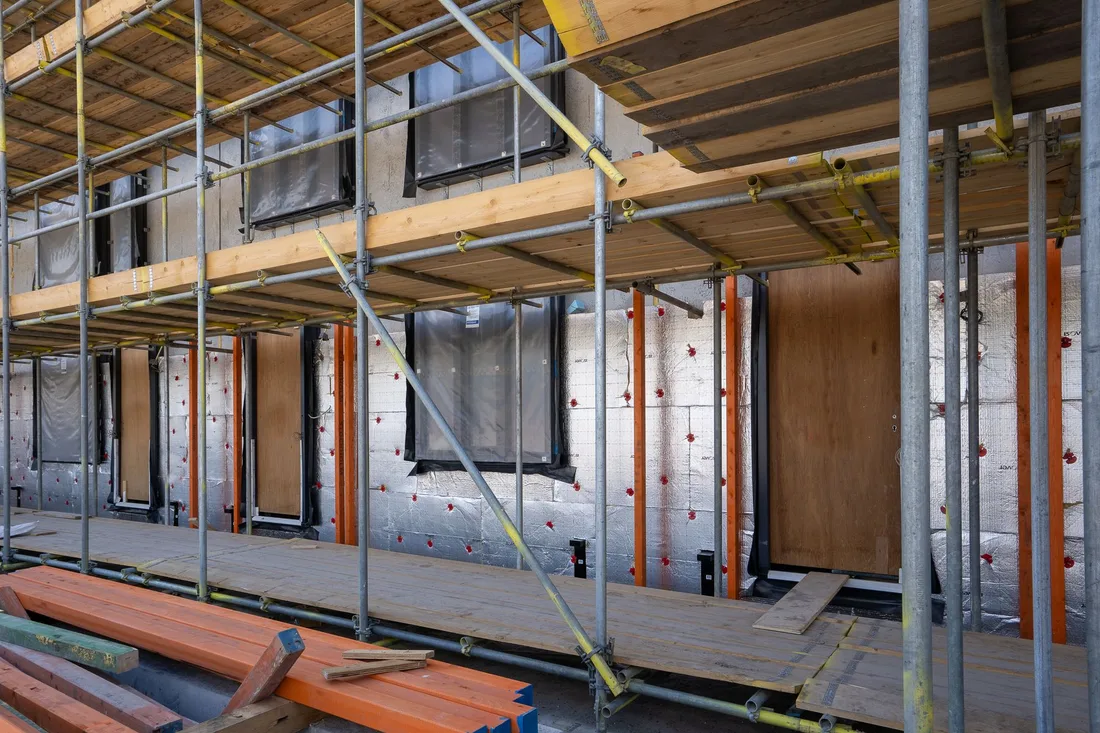
Photos carry the sale. A roof space before and after, a floor void with fresh material, a close-up of tidy work around recessed lights and a shot of the crew leaving the home clean all prove skill. Captions with home age, material and area give each image meaning and help search engines understand it.
Pages by part of the home let each visitor find their own job. Roof space, underfloor and walls each need a page with access notes, materials, clearances, ventilation and what the household notices afterwards. A short comparison of materials helps, if kept plain and tied to the home type.
Forms should help your estimator plan. Asking for home age, access, existing material, main complaint and timing lets your estimator prepare. A photo upload of the hatch or floor access speeds it further. Fewer fields suit mobile visitors, so we test the balance rather than guess.
Who insulation web design suits
groups Customer segments
- person Installers with a product-led site and few finished jobs shown
- person Firms with strong photos stored on phones and social pages
- person Teams running ads who need focused landing pages
- person Businesses serving both owner-occupiers and landlords
psychology What drives their decision
- check_circle Symptom-first pages by part of the home
- check_circle Captioned before-and-after galleries
- check_circle Forms with access questions and photo upload
- check_circle Pages that load quickly on phones
How we deliver Web Design
A clear, repeatable process built around how insulation customers search and decide.

1
Reading how visitors behave
Traffic, calls and forms are studied to see which pages bring requests and which lose visitors. Three journeys are then mapped, for the cold-room household, the bill-worried household and the landlord, with a layout sketched for each.

2
Page design by part of the home
Each page opens with the symptom, shows the work, explains access and materials, answers worries about wiring and ventilation and finishes with a request for a free check. Cross links guide visitors to related jobs such as underfloor after roof space.

3
Access-aware forms
The form asks for home age, access type, existing material, main complaint and timing, with an optional photo of the hatch or floor opening. A confirmation names who will call and when, and an alert reaches your team at once.

4
Build and testing
A phone-first build with compressed images is tried on real handsets and common browsers. Each form, upload and call button is exercised, and a speed review is run. Nothing goes live until every route delivers a message.

5
Tracking and review
Calls, forms and uploads are counted and linked to your search and social accounts. Following launch we watch where visitors leave and adjust captions, page order or form length to keep more of them reading, and we share what we find each month.
web
What Insulation Web Design includes
Pages that make it easy to understand the offer and take the next step in Singapore
- check_circle Sketches of each journey
- check_circle Handset-tested build
- check_circle Access form with optional photo
- check_circle Tracking and launch assistance
- check_circle Later review of visitor paths
What you can expect
- verified Visitors find their symptom and their part of the home quickly
- verified Photos show tidy, careful work around lights and wiring
- verified Requests arrive with home age and access noted
- verified Approved rebate notices can be switched on and off
- verified Pages open quickly on a handset
- verified Each request carries its source tag
Deliverables you receive
inventory_2 Page structure for roof space, underfloor, wall cavity, acoustic and landlord journeys
inventory_2 Before-and-after gallery with captions for home age, material and area, shown with owner permission
inventory_2 Short material comparison written for homeowners, not specifiers
inventory_2 Check request form with access questions and optional hatch or floor photo upload
inventory_2 Incentive section with dated, general wording and links to official sources
inventory_2 Tracking for calls, forms and uploads, connected to search and social accounts
Technical approach
The mechanics behind Web Design for insulation, explained plainly.
Image weight and speed
Gallery photos from dim roof spaces are large. We resize them, load them as the visitor scrolls and avoid autoplay clips. Pages stay quick on a weak signal, which suits people reading from the hallway under their own hatch.
Seasonal readiness
Cold-season traffic can jump within days. We keep hosting and caching ready for sudden peaks, and place a clear banner for approved rebate messages that can be switched on and off quickly without redesigning pages.
Privacy for uploads
Photos of hatches and floor openings may show personal belongings. Files are capped in size, checked for type, kept where only your team can reach them and deleted when no longer needed, and forms use a secure connection.
Marketing from $500 USD a month
Month to month, no commitment. One fee covers the pages, the search and ad work and the tracking. Ad spend is separate and stays in your own accounts.
Starting at
$500 USD per month
Free to cancel with 1 month's notice. Tell us what you sell and where. We come back with what the first month would fix.
Get a Free AuditWhat $500 a month covers
Conversion-led page design
IncludedSites are designed around one obvious next step, like a call or an enquiry form.
Responsive build
IncludedCode is written to load fast and display well across phones, tablets and desktops.
Campaign landing pages
IncludedAdvertising traffic arrives on purpose-built pages carrying a matching offer.
Tracking wired up
IncludedAnalytics, form events and call tracking are configured and checked before each site publishes.
What to expect from a new site
The project runs from planning to launch, then carries on as you learn from the winter rush.
Days 1 to 14
The old site and its figures get a careful read, your best photos, materials list and incentive notes are collected, and page layouts and form fields are settled. You see sketches of each journey before anything is built.
Weeks 3 to 8
Writing and assembly run side by side with your approvals, and phone testing follows. Tracking is added and your team tries the forms, uploads and call buttons. Launch waits until each route delivers.
Months 3 to 6 and beyond
The first cold season shows how visitors really behave. Forms that lose people are trimmed, pages reordered, gallery entries added from recent jobs and incentive notices kept current. Traffic and weather drive the outcome, so no lead numbers are promised.
Other Insulation marketing services
search SEO for Insulation in Singapore arrow_forward query_stats SEM for Insulation in Singapore arrow_forward ads_click Meta Ads for Insulation in Singapore arrow_forward monitoring Analytics for Insulation in Singapore arrow_forward handshake CRM Integration for Insulation in Singapore arrow_forward psychology AI Optimisation for Insulation in Singapore arrow_forward
Our team
The same people on the audit and on the work
Dino designs conversion-led pages and campaign landing pages that work on every screen, while Elmer makes sure tracking is wired up from launch.
-

Martin
Founder, strategy and audits
Writes every audit and takes every first call. On your account from day one, running growth for SMEs since 2010.
-

Yoana
Social and app development
Shapes social strategy and builds practical app experiences that turn attention into action.
-
 Leads this work
Dino
Design
Creates clear brand and conversion-focused design across landing pages, campaigns and product experiences.
-
 Leads this work
Elmer
Analytics
Connects tracking, attribution and reporting so decisions are based on revenue-quality data.
-

Mike
SEO
Owns technical, local and content SEO so the right buyers find you when demand is highest.
-

Robert
Paid media
Plans and manages paid search and social campaigns around qualified leads.
Certified and experienced
Certified where it matters. Accountable for the outcome.
Verified platform knowledge, 25+ years of hands-on experience, and an operating track record since 2010.
Google AnalyticsCertified
✓Google Tag ManagerCertified
✓Operating since 2010Proven experience
✓Frequently Asked Questions
How big should an insulation website be? expand_more
Large enough to cover each part of the home and each buyer: roof space, underfloor, walls, acoustic, landlords, gallery and about. A focused set usually beats a sprawling one, and the list is agreed with you.
Should the site show insulation prices? expand_more
Pricing is yours to decide. Some installers explain what moves the cost, such as area, access and material, and invite a check. If a range is shown it should stay current.
Can visitors upload a photo of their insulation hatch? expand_more
Yes. A picture helps your estimator judge access before a visit, and the file is size-limited, type-checked and sent securely.
How do you handle insulation rebate notices on the site? expand_more
As a short banner or section in general wording, with a review date and links to official sources. It can be switched on or off in minutes whenever rules change.
Will the site work with our insulation ads and SEO? expand_more
Yes. Page structure suits search engines, and every ad group can have its own landing page. Calls and forms trace back to where they began.
Does changing the web address cost us our insulation search standing? expand_more
Not when the move is planned. Good pages stay, old links are redirected and weak or repeated pages are merged or rewritten.
Who adds new jobs to the gallery? expand_more
Use the simple editor yourself, or email photos and details and we publish them. A brief handover guide explains both.
Ready to get more from Insulation Web Design?
Get a free audit and we will show you where you are losing enquiries today.
Get a Free Audit arrow_forward
Reviewed by
Martin Marinov
Founder, HeyLead
Martin founded HeyLead and has worked in SEO and paid search for more than 20 years, across Google Ads, Microsoft Ads and organic search.