Google AdsCertified
✓ Web Design for Bricklaying
Web Design for Bricklaying in Singapore
Your best advert is a wall that still looks right years later, but most bricklaying websites hide it behind small photos and a phone number. We design sites where finished work leads the page, builders find crew details quickly and owners can ask for a quote with a drawing or a photo.
For bricklaying firms that want a site showing finished brickwork well, with separate routes for builders and owners and forms that collect useful details.
What a bricklaying website must do
Context from how your customers search, compare and book.
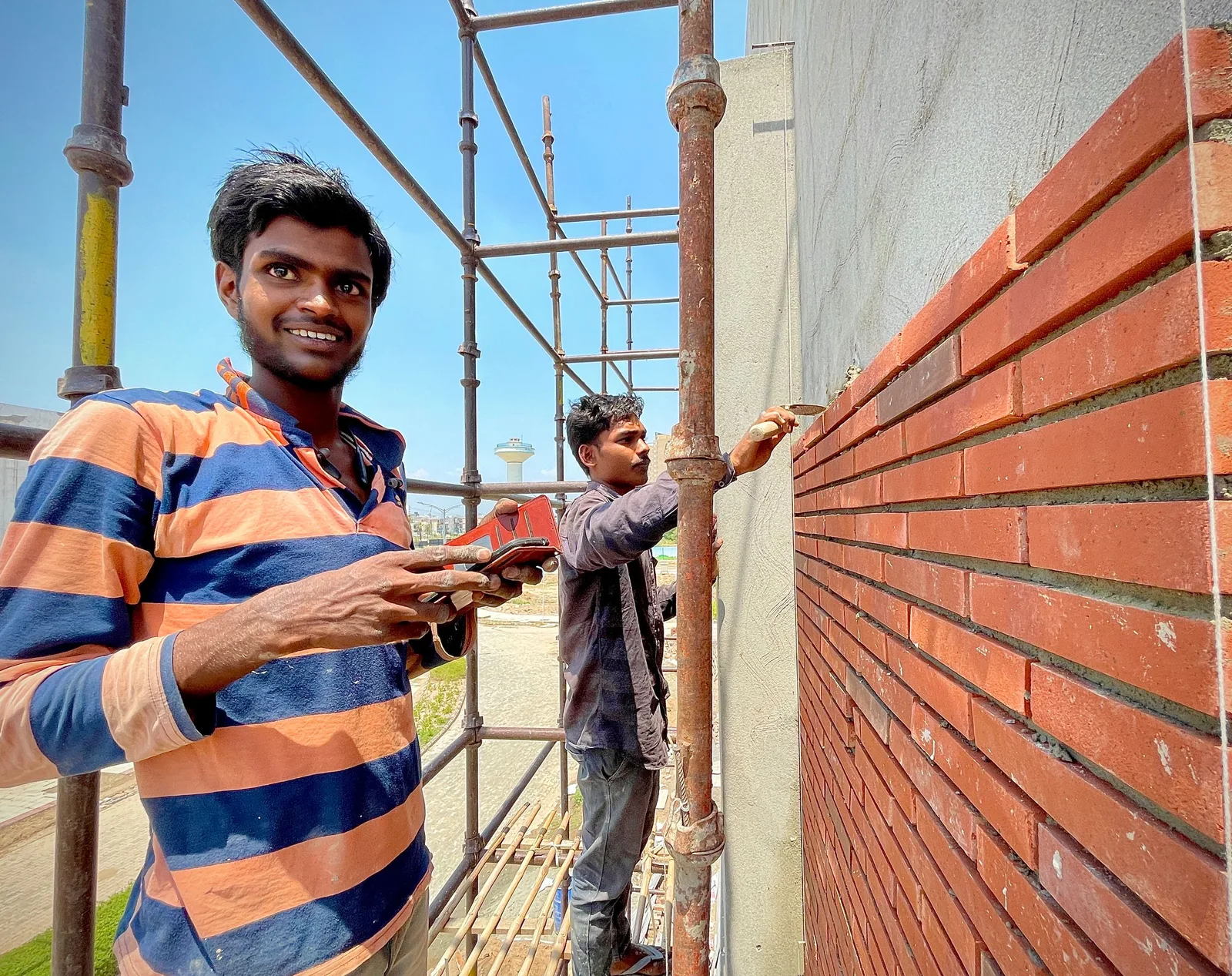
Brickwork must be seen close up. Visitors judge straight courses, even joints and clean corners from photos, so images should be large, sharp and labelled with the job. A small, blurry gallery undersells good work, and a bright, sharp one makes the sale before the phone rings.
Builders and owners need different front doors. A supervisor wants crew size, start dates, equipment and insurance within seconds. An owner wants to see an extension that matches the house and learn how a visit works. Two clear buttons on the home page send each to a page written for them.
Technical reassurance belongs on the page. Short notes on bond patterns, cavity ties, lintels, damp protection and movement joints show that the firm understands structure, as long as they are written plainly and checked by you. Too much jargon backfires, and a simple caption often works better than a long paragraph.
Forms should respect the job. Builders want a quick call-back request. Owners can attach drawings or photos and say when the frame will be ready. Restoration requests can include a photo of the wall in question. Clear next steps after sending reduce uncertainty and repeat calls to your office.
Who this web design suits
groups Customer segments
- person Subcontract crews relying on word of mouth with no online proof of their work
- person Residential bricklayers wanting extensions and feature walls with better quality leads
- person Restoration bricklayers needing a site that reads as careful and knowledgeable
- person Blockwork contractors who need a credible page for project managers
psychology What drives their decision
- check_circle Big, sharp project photos with labels
- check_circle Separate paths for builders and owners
- check_circle Plain notes on method and materials
- check_circle Quote forms that accept drawings and photos
How we deliver Web Design
A clear, repeatable process built around how bricklaying customers search and decide.

1
Project review and photo plan
We select your best walls, group them by scope and list the shots to take next, such as corners, sills, arches and wide street views. A good photo set matters more than extra pages, and gaps are easy to fill on the next job.

2
Layout for two audiences
We design a home page with clear entry points for builders and owners, then pages for extensions, feature walls, retaining walls, blockwork and restoration. You approve the layout before building starts, and we explain each choice in plain words.

3
Forms and next steps
We create a quick trade call-back form, an owner quote form with drawing and photo upload, and a restoration form. Each confirms the next step to the sender and lands in your inbox and customer records at once.

4
Build, proof and speed
We build the site, compress large photos, add reviews, crew and insurance details and test on slow connections and older phones. You check every technical note about bond, ties or mortar before launch, and nothing is published without your approval.

5
Launch and handover
We connect call and form tracking, redirect old addresses, test every button and show your team how to add finished walls. In the first weeks we watch how people use the site and fix awkward spots.
web
What Bricklaying Web Design includes
Pages that make it easy to understand the offer and take the next step in Singapore
- check_circle Home page with builder and owner routes
- check_circle Scope pages with labelled photos
- check_circle Quote forms with file upload
- check_circle Crew, equipment and insurance details
- check_circle Tracking and editing handover
What you can expect
- verified Visitors judge your joints and corners from sharp photos in seconds
- verified Builders reach crew and start-date details without hunting
- verified Owners send drawings or photos with the first request
- verified Restoration pages read as careful and informed, not generic
- verified Pages open quickly on a phone at the edge of a building site
- verified Your team can add new walls to the gallery without outside help
Deliverables you receive
inventory_2 A home page with two clear routes: one for builders and one for owners
inventory_2 Project pages for extensions, feature walls, retaining walls, blockwork and restoration with labelled photos
inventory_2 A crew and equipment section covering team size, scaffold and lifting needs and insurance details
inventory_2 A quote form that accepts drawings and photos, plus a quicker call-back form for builders
inventory_2 Plain notes on bond patterns, jointing and materials, reviewed by you before publishing
inventory_2 Call, form and gallery tracking connected to reporting by buyer type
Technical approach
The mechanics behind Web Design for bricklaying, explained plainly.
High detail, light files
Close-ups of mortar joints need resolution, yet heavy files slow phones. We create several sizes of every image, serve the smallest that looks sharp and delay off-screen photos until they are needed.
Forms that accept files
Upload fields support plans and photos, handle large phone images, and confirm receipt. If a file fails, the form shows a clear message and a phone number rather than losing the visitor's details.
Tracking and edits
Each button, call and form carries a tag for builder or owner, so reports show which visitors become requests. Adding a new wall to the gallery takes a few minutes through a simple editor.
Marketing from $500 USD a month
Month to month, no commitment. One fee covers the pages, the search and ad work and the tracking. Ad spend is separate and stays in your own accounts.
Starting at
$500 USD per month
Free to cancel with 1 month's notice. Tell us what you sell and where. We come back with what the first month would fix.
Get a Free AuditWhat $500 a month covers
Conversion-led page design
IncludedSites are designed around one obvious next step, like a call or an enquiry form.
Responsive build
IncludedCode is written to load fast and display well across phones, tablets and desktops.
Campaign landing pages
IncludedAdvertising traffic arrives on purpose-built pages carrying a matching offer.
Tracking wired up
IncludedAnalytics, form events and call tracking are configured and checked before each site publishes.
What to expect from web design
Brickwork sites depend on photos, so the early weeks focus on picking and capturing the right ones.
Days 1 to 14
We review your work, agree the page structure and the photo list, and approve the layout. You see exactly how builders and owners will move through the site, and which photos we still need.
Weeks 3 to 8
Pages are built, tested on phones and checked by you for technical statements. Tracking is connected and the site launches once every form and call works, with a plain checklist for you to sign off.
Months 3 to 6 and beyond
We watch how visitors move, add new projects and test improvements to forms and headings. Results depend on traffic, photo quality and how quickly you respond, and we promise no particular numbers.
Other Bricklaying marketing services
search SEO for Bricklaying in Singapore arrow_forward query_stats SEM for Bricklaying in Singapore arrow_forward ads_click Meta Ads for Bricklaying in Singapore arrow_forward monitoring Analytics for Bricklaying in Singapore arrow_forward handshake CRM Integration for Bricklaying in Singapore arrow_forward psychology AI Optimisation for Bricklaying in Singapore arrow_forward
Our team
The same people on the audit and on the work
Dino designs conversion-led pages and campaign landing pages that work on every screen, while Elmer makes sure tracking is wired up from launch.
-

Martin
Founder, strategy and audits
Writes every audit and takes every first call. On your account from day one, running growth for SMEs since 2010.
-

Yoana
Social and app development
Shapes social strategy and builds practical app experiences that turn attention into action.
-
 Leads this work
Dino
Design
Creates clear brand and conversion-focused design across landing pages, campaigns and product experiences.
-
 Leads this work
Elmer
Analytics
Connects tracking, attribution and reporting so decisions are based on revenue-quality data.
-

Mike
SEO
Owns technical, local and content SEO so the right buyers find you when demand is highest.
-

Robert
Paid media
Plans and manages paid search and social campaigns around qualified leads.
Certified and experienced
Certified where it matters. Accountable for the outcome.
Verified platform knowledge, 25+ years of hands-on experience, and an operating track record since 2010.
Google AnalyticsCertified
✓Google Tag ManagerCertified
✓Operating since 2010Proven experience
✓Frequently Asked Questions
What should a bricklaying website show? expand_more
Large photos of finished walls, a page per kind of work, crew and insurance details, reviews and a quote form. For bricklaying, close-ups of corners and joints do more than long paragraphs.
Can I have one site for builders and homeowners? expand_more
Yes. The home page offers a route for each, and each route has its own wording, proof and form. A bricklaying site that tries to speak to both in one voice usually satisfies neither.
How many project photos do I need? expand_more
Start with several good bricklaying projects across your main scopes, with a few angles of each. We can add more over time. Weak photos can be left out until better ones arrive.
Should I show how I lay or what bond I use? expand_more
A short, plain note helps owners understand quality and shows builders you know the work. You review it, and we keep the bricklaying detail simple so it reads well on a phone.
Can visitors send plans through the form? expand_more
Yes. Files and photos can be attached, which saves a visit for small bricklaying questions. We test uploads on phones and show a clear message if something fails.
Will the site load quickly on site? expand_more
We aim for light pages that load on a slow connection, with images sized for each screen. Test results are shared with you at launch.
Who updates the site after launch? expand_more
Your team can add walls, reviews and captions through a simple editor, and we give a short guide. We can also do updates for you under a monthly plan.
Ready to get more from Bricklaying Web Design?
Get a free audit and we will show you where you are losing enquiries today.
Get a Free Audit arrow_forward
Reviewed by
Martin Marinov
Founder, HeyLead
Martin founded HeyLead and has worked in SEO and paid search for more than 20 years, across Google Ads, Microsoft Ads and organic search.